
Hear the Masjid at Home
Listen live to the Adhan, Salah, Jumu'ah khutbah, bayaans and announcements from Jami Mosque & Islamic Centre — wherever you are.
Three Ways to Listen
Choose the option that suits your home and family best.
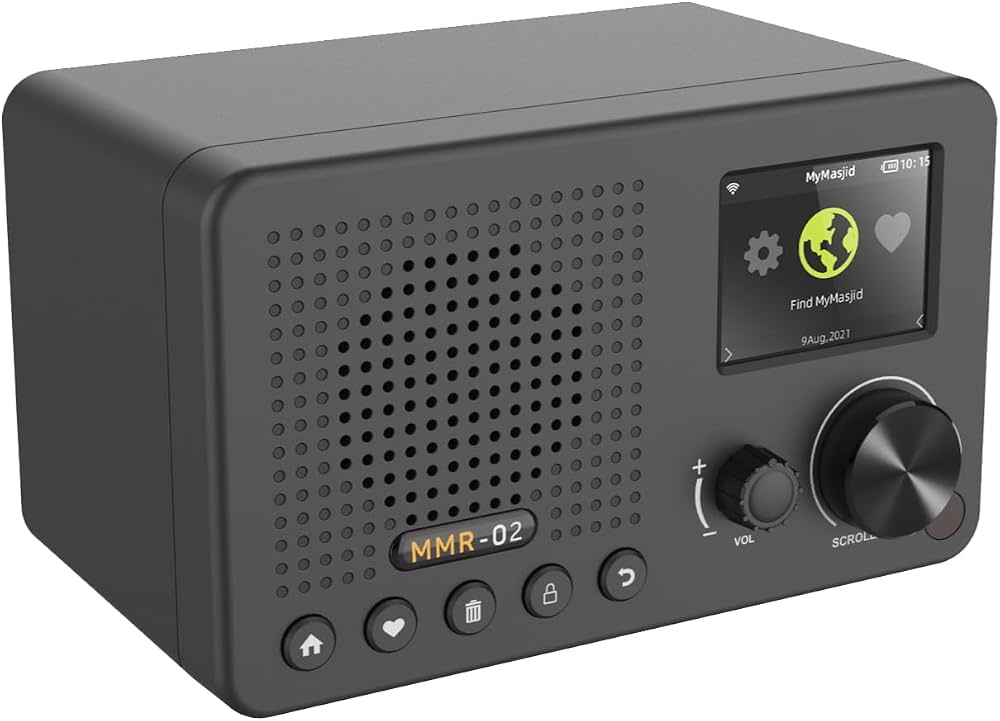
MyMasjid Digital Receiver
A dedicated home receiver that connects to your WiFi and plays the masjid automatically whenever we go live — just like the old radio sets, but digital.
- Switches on by itself when JMIC broadcasts
- Clear, interference-free sound — no crackle
- Works anywhere with home WiFi, no distance limit
- Simple to use — ideal for elderly family members
Best for: homes with WiFi that want hands-free, always-on listening.
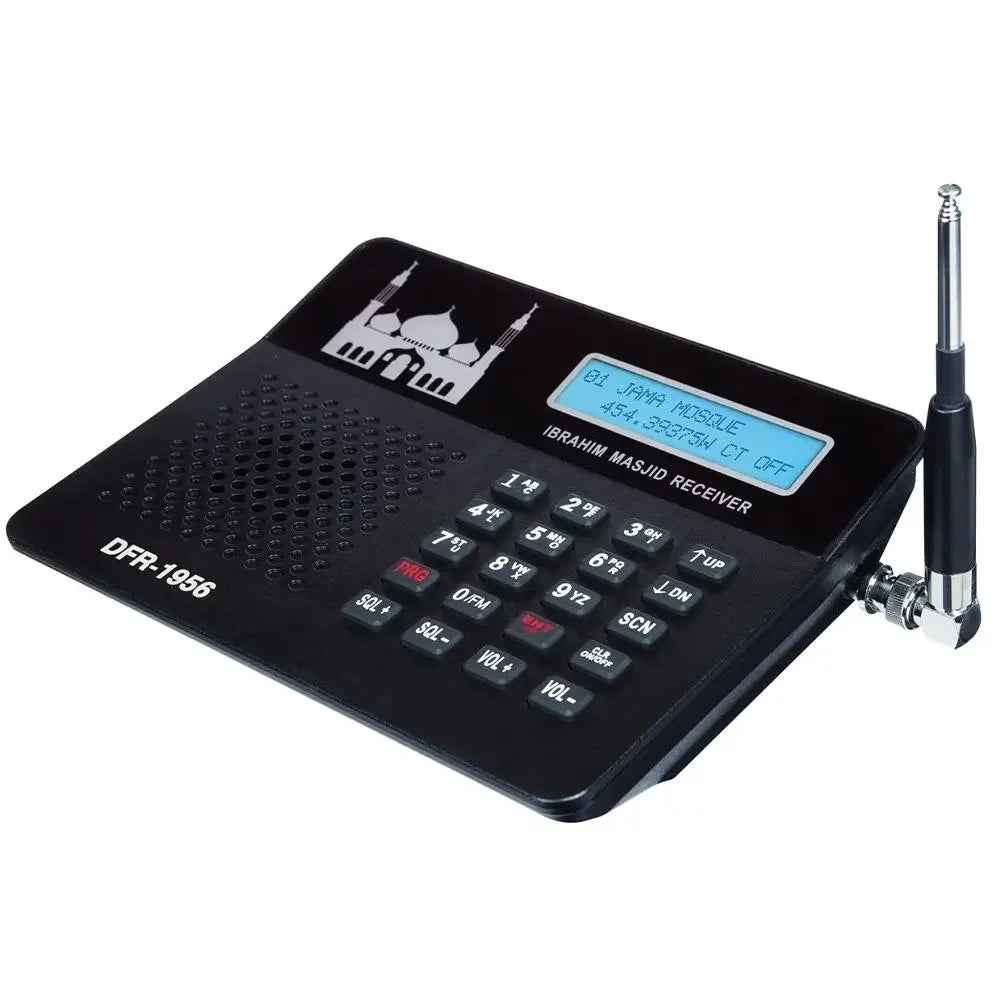
Masjid Radio Scanner
The traditional portable radio receiver, tuned to JMIC's own transmitter. No internet or app needed.
- Frequency: 454.0500 MHz
- Coverage of approx. 5–7 miles around the masjid
- No WiFi, data or smartphone required
- Rechargeable, portable — move it room to room
Best for: households living locally, or without home internet.
eMasjid Live App
Listen on your phone, tablet or computer — at home, at work or travelling anywhere in the world.
- Free on iPhone, iPad, Android & Amazon Fire
- Alerts the moment JMIC goes live
- Catch up on recorded talks and programmes
- Works on WiFi or mobile data
Best for: listening on the go and catching up on talks.
Which Option Is Right for You?
| WiFi Receiver | Radio Scanner | eMasjid Live App | |
|---|---|---|---|
| Needs internet? | Yes – home WiFi | No | Yes – WiFi or mobile data |
| Range | Unlimited | Approx. 5–7 miles | Unlimited, worldwide |
| Plays automatically? | Yes | Yes, when switched on | Notification – tap to listen |
| Sound quality | Digital, clear | Good locally; may vary with distance | Digital, clear |
| Recordings | — | — | Yes |
| Cost | One-off device purchase | One-off device purchase | Free |
Getting Set Up
WiFi Receiver
- Plug in and power on the receiver.
- Connect it to your home WiFi.
- Select Jami Mosque & Islamic Centre, Birmingham.
- Leave it on — it plays when we go live.
Radio Scanner
- Fully charge the scanner.
- Tune to 454.0500 MHz.
- Lift it off the charging dock and place it near a window.
- Set the volume — it plays when we broadcast.
eMasjid Live App
- Download the free app.
- Search for Jami Mosque Birmingham.
- Add it to your favourites.
- Allow notifications so you never miss a broadcast.
Frequently Asked Questions
What is broadcast on JMIC Radio?
The Adhan for the five daily prayers, Salah, the Jumu'ah khutbah, bayaans, special programmes and important masjid announcements.
My radio scanner is crackling or silent. What should I do?
Make sure it is fully charged, tuned to 454.0500 MHz, and lifted off its charging dock. Placing it near a window and away from other electronics usually helps. If you live more than 5–7 miles from the masjid, the WiFi receiver or app is a better choice.
Do I need a smartphone for the WiFi receiver?
No. Once connected to your home WiFi, the receiver works on its own and plays automatically whenever the masjid is live.
Is the eMasjid Live app really free?
Yes. The app is free to download and listen. You can also listen on a computer through a web browser.
Can I listen when I'm away from Birmingham?
Yes — the WiFi receiver and the eMasjid Live app both work anywhere with an internet connection, including abroad.
Need Help Getting Connected?
Visit the masjid office and our team will be happy to help you choose and set up the right option for your home.
Contact the Office